
Back up all data, use anti-static materials, and pack each computer component separately to ensure your technology survives the move intact. This step-by-step guide shows Ottawa businesses exactly how to pack desktops, laptops, servers, and IT equipment for a safe office relocation. You’ll learn the right materials, proper techniques, and why professional IT handling prevents costly damage.
Why Computers Need Special Handling During Office Moves
Office IT relocation Ottawa requires expertise that standard packing doesn’t provide. Computers contain sensitive components that static electricity, vibration, and temperature changes can permanently damage.
Computer moving tips Ottawa start with understanding the risks. Hard drives store years of company data. One jolt during transport can corrupt files forever. Motherboards contain delicate circuits that static discharge destroys instantly . Monitors crack under pressure. Cables snap when bent wrong.
Packing desktop computers Ottawa isn’t like wrapping dishes or books. Your office technology represents thousands in hardware value and incalculable data value. Professional care protects both.
One Ottawa marketing agency learned this painfully. They packed computers in regular boxes with newspaper. Moving day vibration damaged three hard drives. Client data disappeared. Recovery costs exceeded the entire moving budget . Don’t let your business become another cautionary tale.
Ottawa Movers trains every crew member in proper IT equipment handling. We’ve moved thousands of computers without incident. Our techniques protect your data and your hardware.
Pre-Packing Preparation for Office Computers
Before touching a single cable, complete these essential preparation steps.
IT equipment moving guide Ottawa begins with preparation, not packing:
- Back up all data – Run complete system backups at least 48 hours before moving. Verify backups work by testing file restoration .
- Document connections – Take photos of every cable connection. Label both ends of each cable with matching numbers or colors .
- Inventory everything – Create a detailed list of all computer equipment by department and workstation. Note serial numbers for insurance purposes .
- Clean your files – Delete temporary files and old data. Fewer files mean faster backups and less to restore later .
- Update software – Complete any pending updates before disconnection. This saves time during post-move setup .
- Gather passwords – Collect all system passwords, license keys, and software installation media in one secure location .
Secure computer relocation Ottawa depends on this preparation. One Ottawa law firm skipped documentation. Their IT team spent two full days figuring cable connections. Billable hours vanished. Client work delayed .
Professional business computer moving Ottawa includes this preparation phase. We help clients create documentation and backup plans before moving day.
Packing Desktop Computers Step by Step
Follow this exact sequence for every desktop computer in your office.
Packing desktop computers Ottawa requires attention to detail:
Step 1: Shut down properly
Use the operating system’s shutdown function. Don’t just unplug. Wait for all lights to go dark before disconnecting anything .
Step 2: Disconnect all cables
Label each cable before removal. Take photos for reference. Coil cables loosely. Never wrap tightly around your hand or bend sharply .
Step 3: Remove expansion cards
Graphics cards, sound cards, and other add-ons can loosen during transport. Remove them and pack separately in anti-static bags .
Step 4: Secure the hard drive
If possible, remove hard drives and transport them separately. They’re the most vulnerable component and contain your critical data .
Step 5: Place in anti-static bag
Every computer tower needs an anti-static bag. Regular plastic creates static that damages components .
Step 6: Use original boxes when possible
Computer manufacturer boxes have custom foam inserts designed for your specific model. Keep them for moves .
Step 7: Pad the shipping box
Place the anti-static bag in a sturdy box with at least 2 inches of bubble wrap on all sides. No movement inside the box .
Step 8: Label clearly
Mark each box with “FRAGILE – COMPUTER EQUIPMENT” and the destination department .
Moving office electronics Ottawa professionals never stack computer boxes. They ride separately, protected from crushing weight.
Packing Laptops, Monitors, and Peripherals
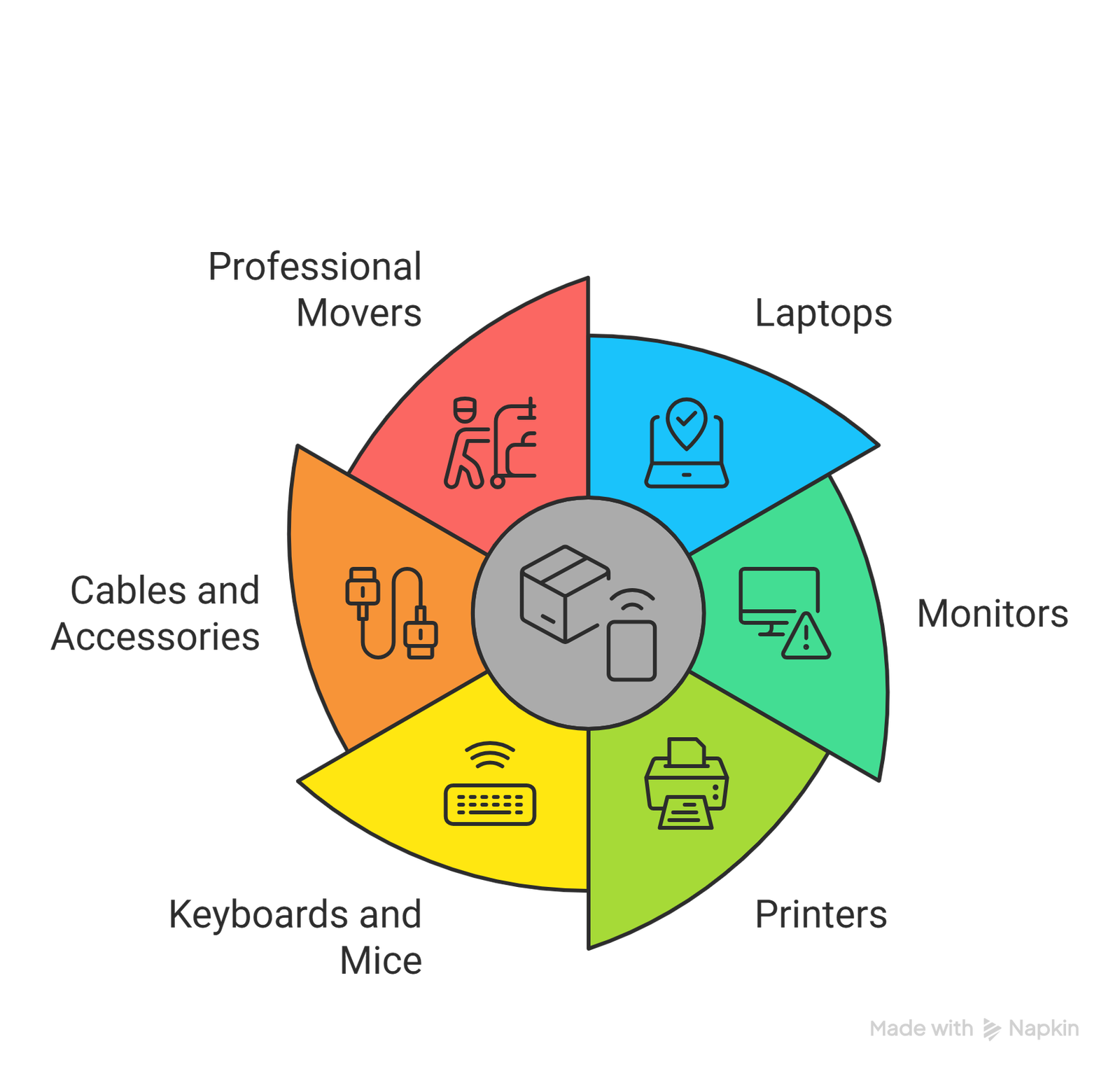
Different devices need different protection methods.
Packing laptops for moving Ottawa follows simpler rules but still requires care:
- Laptops: Shut down completely. Remove batteries if possible. Place in padded laptop sleeves, then in boxes with cushioning. Never pack laptops with heavy items on top .
- Monitors: Use original boxes with foam inserts whenever possible. Never lay flat during transport. Always keep upright as designed. Protect screens with soft cloths before boxing .
- Printers: Remove toner cartridges and ink. They leak during vibration. Tape down all moving parts like scanner lids and paper trays. Transport upright only .
- Keyboards and mice: Wrap individually in bubble wrap. Place in boxes with light cushioning. Don’t pile heavy items on top .
- Cables and accessories: Coil loosely, secure with velcro ties (never twist ties), and pack in labeled bags or small boxes .
Office computer packing Ottawa includes protecting peripherals that seem durable. One Ottawa business lost a week of productivity because a damaged printer couldn’t process client checks . Every piece matters.
Professional computer movers Ottawa use specialized packing materials for each device type. Anti-static bags for components. Monitor boxes with screen protection. Printer crates with locking mechanisms.
Server and Network Equipment Relocation
Servers require the highest level of protection during any office move.
Packing servers for office move Ottawa demands professional handling:
- Schedule carefully – Plan server moves during extended downtime. Weekends or evenings provide enough time for proper disconnection and reconnection .
- Back up everything – Run full server backups immediately before shutdown. Store backups off-site or in cloud storage .
- Document configurations – Record all network settings, IP addresses, and passwords. Take photos of server rack layouts .
- Use anti-static materials – Servers are extremely static-sensitive. Only use approved anti-static bags and packing materials .
- Transport separately – Servers should travel in a dedicated vehicle with climate control and air-ride suspension when possible .
- Keep you with you – For critical servers, consider hand-carrying them in your own vehicle. Never let them out of your sight .
Office IT equipment relocation Ottawa professionals treat servers like medical patients. They’re fragile, valuable, and essential for business survival.
One Kanata technology company learned this lesson. Their DIY server move corrupted customer databases. Restoration took three days. Client trust took months to rebuild . Professional handling would have cost a fraction of the damage.
Ottawa Movers coordinates server moves with your IT team. We provide anti-static materials, climate-controlled transport, and careful handling protocols. Your data stays safe.
Ottawa-Specific Considerations for Computer Moving
Ottawa’s climate and building landscape affect how you pack and move computers.
Moving office electronics Ottawa requires accounting for local factors:
Winter moving challenges:
- Cold temperatures damage LCD screens and hard drives. Never leave electronics in unheated trucks overnight .
- Static electricity increases in dry winter air. Use extra anti-static precautions during cold months .
- Snow and salt damage equipment during loading. Protect computers from exposure during outdoor transfers .
Downtown Ottawa building access:
- Elevator waits expose electronics to temperature changes. Schedule elevator reservations to minimize outdoor time .
- Loading dock vibration affects sensitive equipment. Ensure proper padding for server transport .
- Security screening delays may leave computers sitting. Plan for extra protection during building entry .
Kanata technology park requirements:
- Some tech buildings have specific IT moving protocols. Check with property management before moving day .
- Server room access may need special coordination with building security .
Office computer packing Ottawa professionals prepare for these local conditions. We adjust materials and schedules based on season and location.
Ottawa Movers brings 48+ years of local experience to every IT relocation. We know how Ottawa’s weather affects electronics. We understand building requirements across the city.
Trust Ottawa’s Computer Moving Experts
With 48+ years of experience and over 1,200 successful office relocations, Ottawa Movers specializes in protecting your most valuable business asset: your data. Our comprehensive office IT relocation Ottawa services include:
- Anti-static packing materials for all electronics
- Dedicated IT handling by trained technicians
- Server relocation with climate-controlled transport
- Cable labeling and connection documentation
- Coordination with your IT team throughout
- Post-move setup and testing support
We serve the entire National Capital Region, from downtown Ottawa to Kanata, Barrhaven, Nepean, and Orleans. Every IT move includes transparent quotes, dedicated move coordination, and proven protocols that protect your technology.
Ready to move your office computers safely? Call us at 613-800-9220 for a free consultation. Let our IT relocation specialists show you how 48+ years of experience protects your data. Visit our office movers in Ottawa service page to learn more about how we’ve helped over 1,200 local companies move forward since 1978.
Top 5 FAQs About Packing Computers for Moving
Should I remove hard drives before moving my computers?
Yes, when possible. Hard drives are the most vulnerable component and contain your valuable data. Remove them, pack in anti-static bags, and transport separately for maximum protection .
Can I use regular packing peanuts for computers?
Never. Regular packing materials generate static electricity that damages computer components. Always use anti-static packing materials specifically designed for electronics .
How far in advance should I back up data before a move?
Perform a full backup at least one week before moving. Verify the backup works. Do another backup immediately before shutdown on moving day. Multiple backups protect against everything .
Do professional movers handle computer packing differently than general packing?
Yes. Professional office IT relocation Ottawa services use anti-static materials, specialized boxes, and trained technicians. They understand that electronics need different handling than furniture .
What’s the most common computer moving mistake Ottawa businesses make?
Skipping proper cable labeling tops the list. Without labeled connections, IT teams waste hours figuring what plugs where. Take photos and label everything before disconnecting .